Platform & service
Security, hosting & backups
A web application with each client's data kept separate, two-factor authentication, role-based access and protected financial records.
Learn morePlatform & service
Give each team member a role that matches their job, from external describer to accountant and administrator, plus read-only roles and API keys.
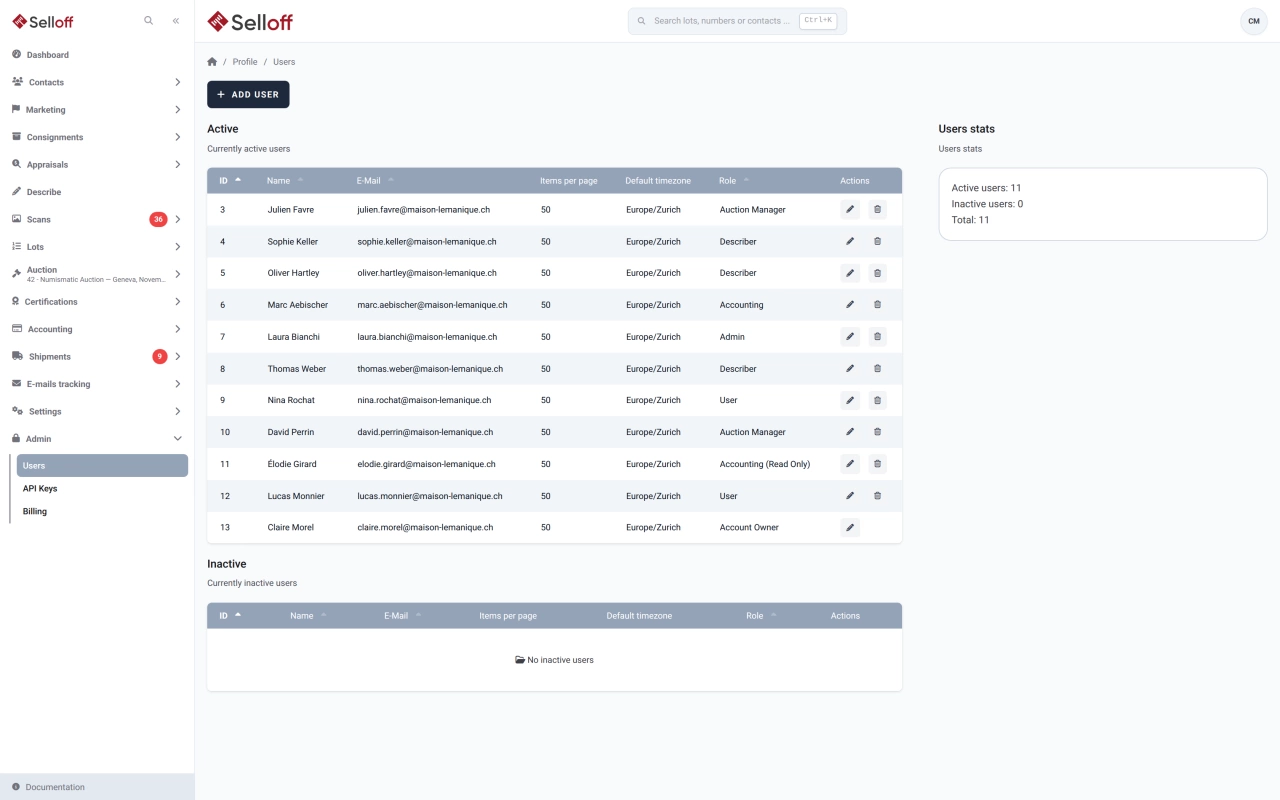
Access to each module depends on the user's role:
Read-only versions of the User and Accounting roles let staff consult data without changing it.
Many actions, such as emails sent or lots added to a shipment, are logged in the contact's activity with the user who performed them. A sale can require a second user to confirm bids entered manually or imported. Each sale and catalogue has a responsible user, and each bidder can have a sales agent.
The Account Owner adds users with their name, email, role, time zone and number of results per page, changes passwords and activates or deactivates accounts. Each user can enable two-factor authentication and review and close their active sessions from their profile.
Websites, ERPs and other tools connect through API keys created in the Admin section, separately from user accounts. A key is shown only once, when it is generated. It can be regenerated, which revokes the previous key, and disabled or re-enabled at any time.
Frequently asked questions
Yes. The Describer role gives access to the description interface and to the lots that person described, without contacts, sales or accounting.
Yes. The Accounting (read only) role gives access to the accounting screens without the ability to change data, and a User (read only) role exists for the rest of the application.
The Account Owner, who manages the Selloff subscription, adds and deactivates users and assigns their roles. Admins manage the application settings.
Related features
A web application with each client's data kept separate, two-factor authentication, role-based access and protected financial records.
Learn moreAdapt Selloff to your house: description fields, list columns, your branding on documents and emails, and every text your clients read.
Learn moreDescribe lots on a screen you configure, with texts, custom fields, categories and images, and generate repetitive headings and descriptions automatically.
Learn moreRequest a demo
See Selloff running on a sale like yours.
We measure visits with Matomo, an analytics tool we host ourselves. Accept cookies so it can recognise returning visitors. If you refuse them, visits are still measured, without cookies. Privacy policy