Inventory & catalogue
Catalogue building & numbering
Assign lots to a sale, order them by category or any field, number them automatically or by scanning, and check the catalogue for errors before it goes live.
Learn moreSales & bidding
Run auctions, offer sales, eBay-style timed sales and fixed-price sales, each with its own sessions, catalogues, dates, fees and bid increments.
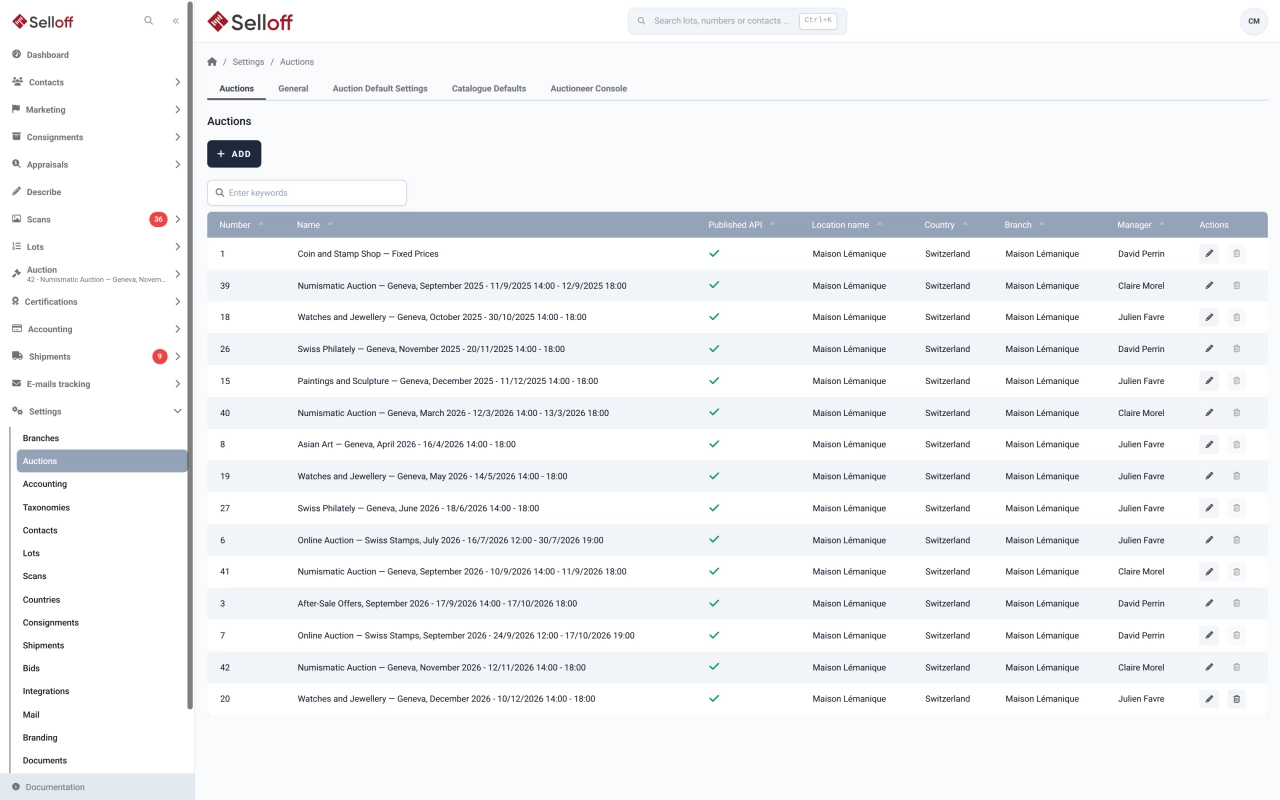
When you create a sale, you choose its type, and Selloff adapts bidding rules, screens and invoices accordingly:
A sale holds its dates (start, end, consignment deadline, viewing and pickup slots), its location with a map, its branch and time zone, and the user responsible for it. Name and description can be entered in each client language, with a slug for readable web addresses. You set the buyer's premium, the buyer's insurance and the bid increment scheme, and bids entered by staff can be checked against the increments.
An auction can be split into sessions, each with a lot range, date and time, currency and closing time for internet bids. Lots are organised in one or several catalogues per sale.
Options per sale include publishing the sale through the API, showing the current bid publicly, accepting offers on unsold lots after a live auction, and requiring a second user to confirm bids that were imported or entered manually.
Auction managers create and configure sales. The Auction Manager role can edit sale settings without full administrator rights, while the rest of the team works in the sale once it is set up.
Frequently asked questions
Four: a classic auction that collects absentee and online bids before the live sale, an offer sale that collects offers until a closing date, an eBay-style timed sale where each lot closes on its own and is extended when a late bid arrives, and a fixed-price retail sale on behalf of consignors. The type is chosen when the sale is created.
Yes. For an auction, each session covers a range of lot numbers and has its own date and time, currency and closing time for internet bids. The bid book and the phone bid summary can be printed per session.
The buyer's premium and buyer's insurance are set as percentages on the sale and added automatically to buyer invoices. A different commission can be set on a client's record, and it then overrides the sale value for that client.
Related features
Assign lots to a sale, order them by category or any field, number them automatically or by scanning, and check the catalogue for errors before it goes live.
Learn moreRecord absentee, phone and OR bids in the book, check them against your bid increments, confirm them to clients by email and print the bid book for the room.
Learn moreRun the room from the auctioneer's console and take live online bids through Selloff Live Auction, with every hammer price recorded in Selloff.
Learn moreRequest a demo
See Selloff running on a sale like yours.
We measure visits with Matomo, an analytics tool we host ourselves. Accept cookies so it can recognise returning visitors. If you refuse them, visits are still measured, without cookies. Privacy policy