Inventory & catalogue
Lot descriptions
Describe lots on a screen you configure, with texts, custom fields, categories and images, and generate repetitive headings and descriptions automatically.
Learn moreInventory & catalogue
Organise lots with your own hierarchical taxonomies, translated categories and description masks per type of object, shared with collecting areas.
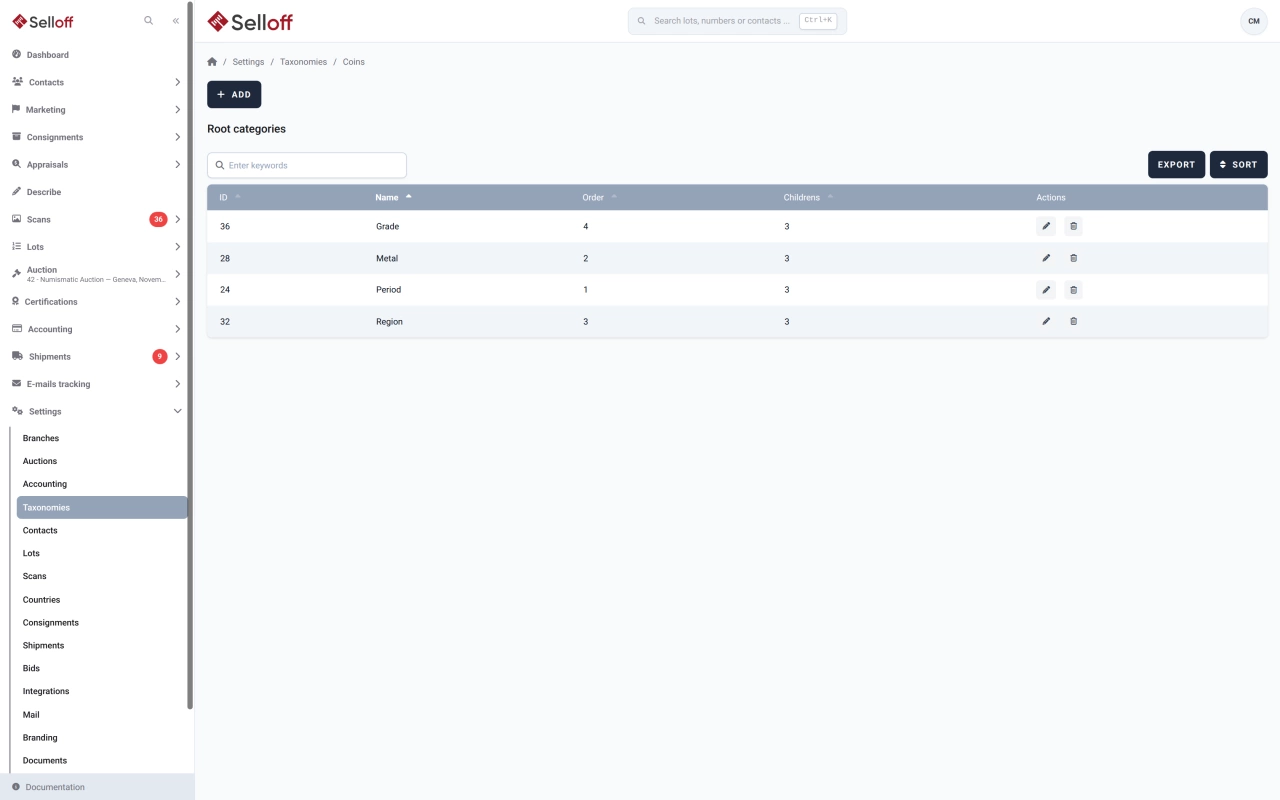
A numismatic house, a stamp dealer and a fine art auctioneer do not classify objects the same way. Selloff does not impose a fixed list: you define taxonomies, such as main category, country, period or material, and build a tree of categories and subcategories inside each one. One taxonomy is marked as the default and serves as the lot's main category.
For each taxonomy you decide:
Categories can have a dedicated page in the API listing all their lots, and their names, descriptions and API display names can be translated.
Writing a description for hundreds of categories is rarely a priority. The description automation builds them from rules: conditions on the category's fields and a text per language using tokens such as the category name, its full path, its parent or its taxonomy. Individual categories can be excluded. The texts give category pages online useful content for visitors and search engines.
The same categories serve as collecting areas on contact records, where Selloff totals the amounts bid and spent in each area, and on opportunities. They drive catalogue sorting, with an order that can be overridden per catalogue, as well as lot searches and exports, and the lot import can match categories by name and create missing ones. See lot descriptions and segmentation.
Frequently asked questions
Yes. A taxonomy can be set to appear only when the lot's main category has a given value. A house selling coins and paintings can, for example, show a metal or grade taxonomy for coins only, so each specialist sees the fields that matter to them.
Taxonomy and category names and descriptions can be entered in each configured language, and a separate display name can be used for the API. Category descriptions can also be generated automatically per language from rules and tokens, which gives every category page a text without writing each one.
Yes. Changing the parent of a category moves it with all its descendants, and categories can be re-sorted at any time. Slugs are fixed once created, so the addresses of category pages online stay stable.
Related features
Describe lots on a screen you configure, with texts, custom fields, categories and images, and generate repetitive headings and descriptions automatically.
Learn moreClassify contacts with tags and collecting areas, then save dynamic lists that update themselves from bids, invoices, consignments and activities.
Learn morePublish catalogues on your own website through the Selloff API and WordPress plugin, with instant updates, online bidding, client accounts and platform exports.
Learn moreRequest a demo
See Selloff running on a sale like yours.
We measure visits with Matomo, an analytics tool we host ourselves. Accept cookies so it can recognise returning visitors. If you refuse them, visits are still measured, without cookies. Privacy policy