CRM
Email campaigns
Build targeted campaigns from contact lists, push them as segments to Mailchimp or Brevo, and follow costs, recipients and the business they bring in.
Learn moreCRM
Classify contacts with tags and collecting areas, then save dynamic lists that update themselves from bids, invoices, consignments and activities.
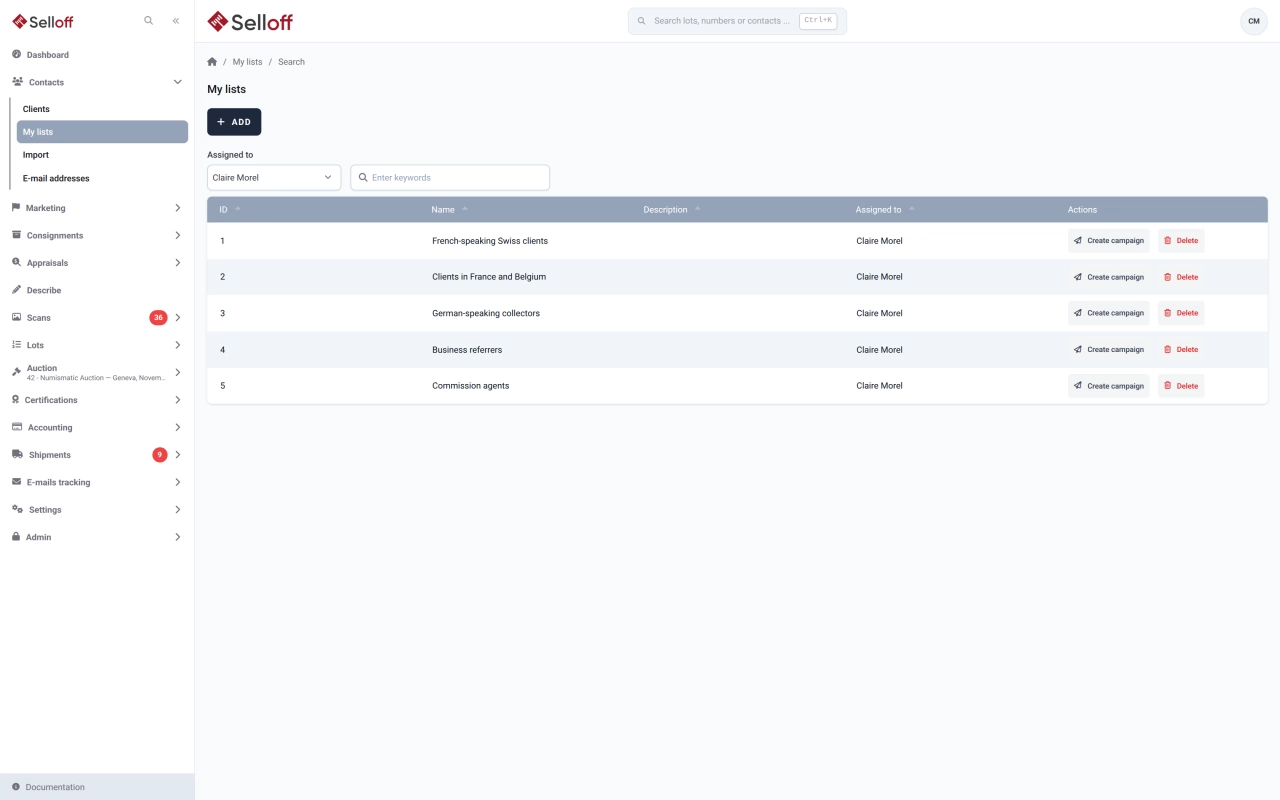
An auction house writes to different people for different reasons: collectors before a specialised sale, consignors after a results list, prospects after a valuation day. Selloff gives you two classification tools and a list builder, so you can reach each group without maintaining spreadsheets.
Tags are added directly on a contact record, and a new tag is created as soon as you type it. Each tag has a class that sets its visibility: default (grey), warning (orange) or danger (red), so a flag such as "payment issues" cannot be missed. Tags can be renamed, sorted and merged in the settings.
Collecting areas use your category taxonomy. Areas are added automatically from the categories of the lots a buyer bids on, and the contact record shows the amount bid and the amount spent in each one. Removed areas stay visible, struck through, for the record.
Under My lists, you save a named list defined by criteria rather than by hand-picked names:
Selloff recalculates the list whenever you use it, so new contacts who meet the criteria appear without any action on your part.
Export any list to XLSX, with external references included and phone numbers formatted so the "+" prefix survives Excel. Or create a campaign from the list in one step: see email campaigns and opportunities for the follow-up.
Frequently asked questions
A smart list is a saved set of search criteria rather than a fixed selection of names. Each time you open or export it, Selloff returns the contacts that match at that moment, so a list such as "marketing subscribers interested in Swiss coins" stays current without manual upkeep.
Yes. Criteria cover bids (bidder number in a sale, bid type, lot range, collecting area, minimum amount per bid, per sale or in total) and invoices (buyer or seller invoice, sale, currency, date and minimum totals). You can combine them with exclusions such as "has no tags" or "was not a recipient of this campaign".
Tags are free labels created on the fly from a contact record and shown in grey, orange or red depending on their class. Collecting areas come from your category taxonomy and record what a contact collects; Selloff adds up the amounts bid and spent in each area automatically.
Related features
Build targeted campaigns from contact lists, push them as segments to Mailchimp or Brevo, and follow costs, recipients and the business they bring in.
Learn moreFind any contact, lot or sale in seconds, from a global search box to multi-criteria filters on bids, invoices, estimates and consignments.
Learn moreOne record per contact with addresses, ID and bank details, tags, consignments, bids, invoices and a complete activity history shared by the whole team.
Learn moreRequest a demo
See Selloff running on a sale like yours.
We measure visits with Matomo, an analytics tool we host ourselves. Accept cookies so it can recognise returning visitors. If you refuse them, visits are still measured, without cookies. Privacy policy