Accounting
E-banking payment transfers
Pay consignors and suppliers by uploading a pain.001 file generated by Selloff to your e-banking, instead of typing each transfer by hand.
Learn moreConsignments
Generate consignor statements for a whole sale, deduct commission, fees and VAT, pay consignors once buyers have paid and export transfers to your bank.
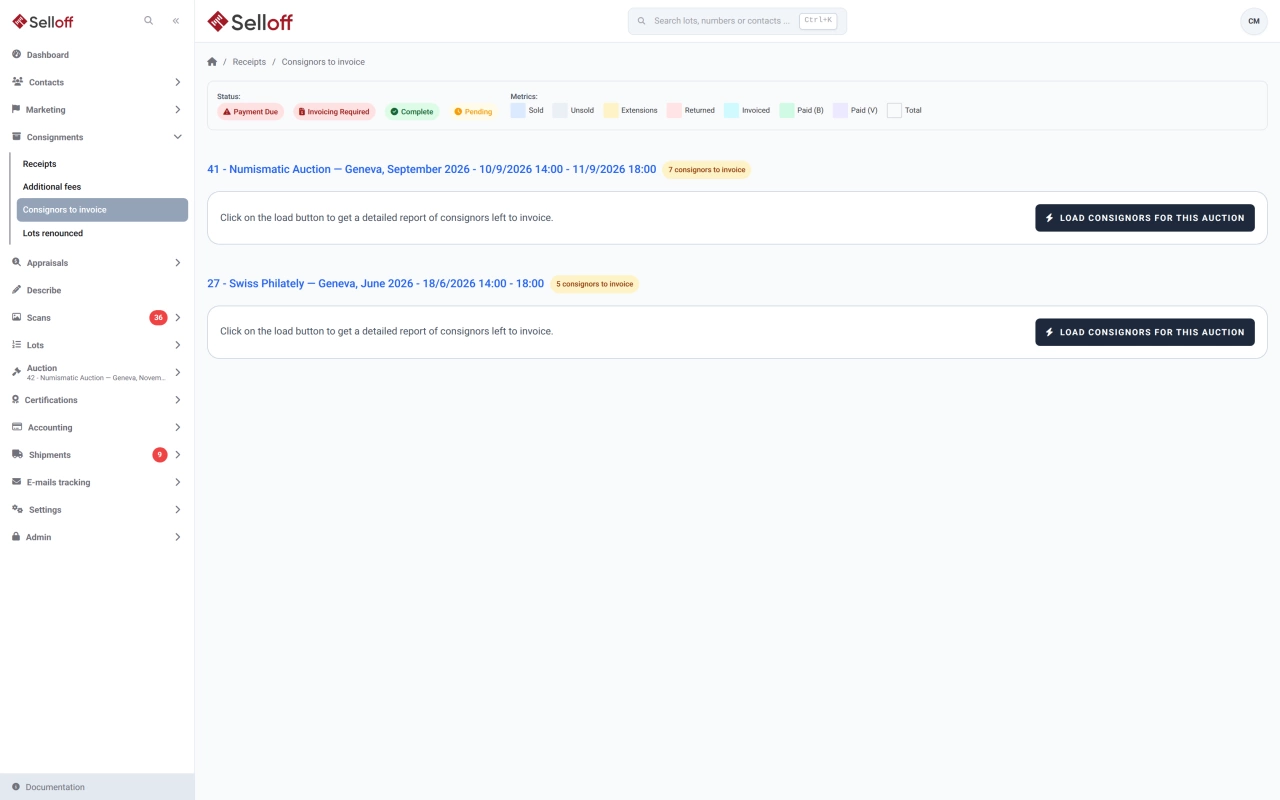
After a sale, every consignor expects a clear statement and a timely payment. Selloff builds the statements from data it already holds: the lots sold with their prices from the buyer invoices, the unsold lots, the terms of each consignment and any extra fees.
From a sale's consignments page, or from the Consignors to invoice list, generate statements for all selected consignments at once; large batches run in the background. Statements are produced per consignment, currency and sale, and lots sold outside an auction have their own statements too. Each one lists:
Statements use your document templates and can include your payment instructions and a Swiss QR bill. They are emailed to the consignment's recipients or printed, and filed on the consignor's record.
The Consignors to invoice list shows every consignment with sold lots and its status, from invoicing required and payment due to complete, with filters and XLSX export. A lot becomes payable to the consignor only once its buyer has paid, and the statement's payable situation shows what was received, deducted, already paid and still pending. Lots bought subject to a certificate of authenticity are held "in extension": the consignor's payment for them waits until the certificate is delivered and the extension is marked complete.
Record payments from the consignment page: the payable amount, the full statement or a custom amount. Payments can be returned if needed, and payment confirmations sent. Outgoing transfers are exported as pain.001 files for Swiss e-banking, one per paying account, then marked as transferred. See e-banking transfers.
Frequently asked questions
Usually once the buyers have paid. Selloff counts a lot as payable to the consignor only when its buyer has paid for it. Each statement includes a payable situation showing payments received, deductions, amounts already paid to the consignor, the balance and what is still pending.
Yes. From the consignment page, record a payment for the payable amount, the full statement or a custom amount. Outgoing payments marked for mass payment are exported as pain.001 files in the Swiss format, one per paying bank account, ready to upload to your e-banking.
A debit note reverses the lines concerned on the consignor's account, so the statement history stays intact and the balance is corrected. If the consignment came through a business referrer, Selloff warns that their commission is affected.
Related features
Pay consignors and suppliers by uploading a pain.001 file generated by Selloff to your e-banking, instead of typing each transfer by hand.
Learn moreRecord and apply payments, see what each client owes, send reminders at three levels with fees, and follow receivables in the aging report.
Learn moreSet commission, lot fees, insurance, broker and representative per consignment, group lots under receipts, and keep each consignor informed from one page.
Learn moreRequest a demo
See Selloff running on a sale like yours.
We measure visits with Matomo, an analytics tool we host ourselves. Accept cookies so it can recognise returning visitors. If you refuse them, visits are still measured, without cookies. Privacy policy