Accounting
Automatic invoicing
Create buyer invoices and consignor statements from recorded sales in a few clicks, with premium, insurance, fees, shipping and VAT calculated automatically.
Learn moreAccounting
Record and apply payments, see what each client owes, send reminders at three levels with fees, and follow receivables in the aging report.
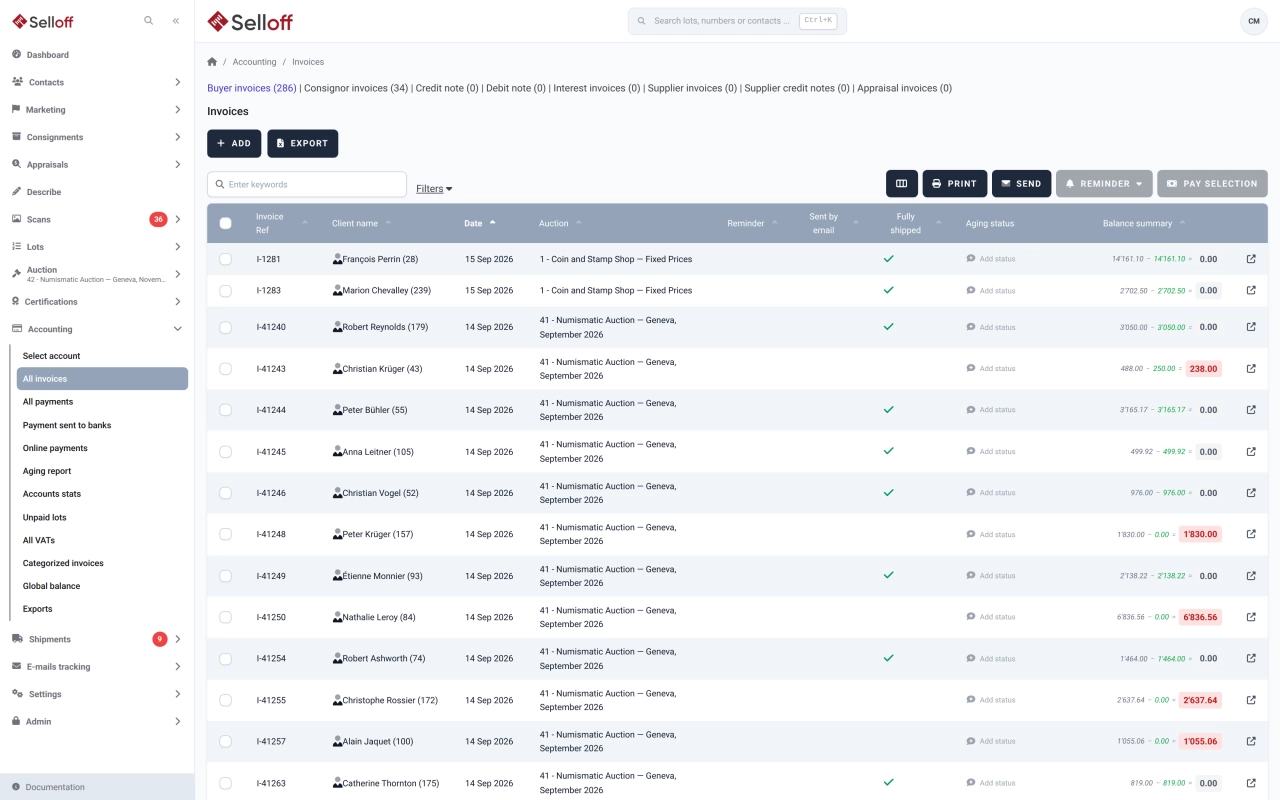
Payments are recorded on the client's account for a branch and a currency: incoming payments, outgoing payments to consignors or suppliers, online payments and balancing entries. Each payment is applied to one or more invoices, and the payments list can be filtered by fully applied, partly applied and not applied. Clients can receive a payment confirmation by email, for full or partial payments.
Paid lots are identified, so that they can be released or shipped, and consignors can be paid once their buyers have paid. A tolerance lets you treat a very small open balance as settled. Payments can also be returned, with any return fees.
Select overdue invoices and send a reminder at level 1, 2 or 3. Each level has its own fee, fixed or as a percentage, and can show the invoice details when a single invoice is reminded. Reminders are PDF documents sent by email, with the link to your online payment page. For late payments, Selloff calculates interest on the client's account and issues an interest invoice.
When a client is both buyer and consignor, their invoices with opposite balances can be offset against each other.
Accounting staff record and apply payments and run the reminders; the front desk checks a client's balance before releasing lots.
Frequently asked questions
Three. Each level has its own fee, either a fixed amount or a percentage of the amount due, and its own document and email. Reminders can be sent for one invoice or for a selection of invoices at once.
Yes. Invoices with opposite balances for the same client, branch and currency can be offset against each other, leaving only the difference to be paid or paid out.
The aging report lists open invoices by age, filtered by sale, currency and period, with the last payment, the reminders sent and the client's account balance. It exports to Excel.
Related features
Create buyer invoices and consignor statements from recorded sales in a few clicks, with premium, insurance, fees, shipping and VAT calculated automatically.
Learn moreLet buyers pay invoices, guarantees and free amounts online via Stripe, Datatrans or Saferpay, with fees and payment statuses tracked in Selloff.
Learn moreKeep client accounts, the chart of accounts, supplier invoices and balances inside Selloff, per branch and currency, without re-entering sales in another system.
Learn moreRequest a demo
See Selloff running on a sale like yours.
We measure visits with Matomo, an analytics tool we host ourselves. Accept cookies so it can recognise returning visitors. If you refuse them, visits are still measured, without cookies. Privacy policy