CRM
Client records & history
One record per contact with addresses, ID and bank details, tags, consignments, bids, invoices and a complete activity history shared by the whole team.
Learn moreCRM
Import contacts from an Excel (XLSX) file with duplicate checks, tags, collecting areas and a source label, processed in the background with an error report.
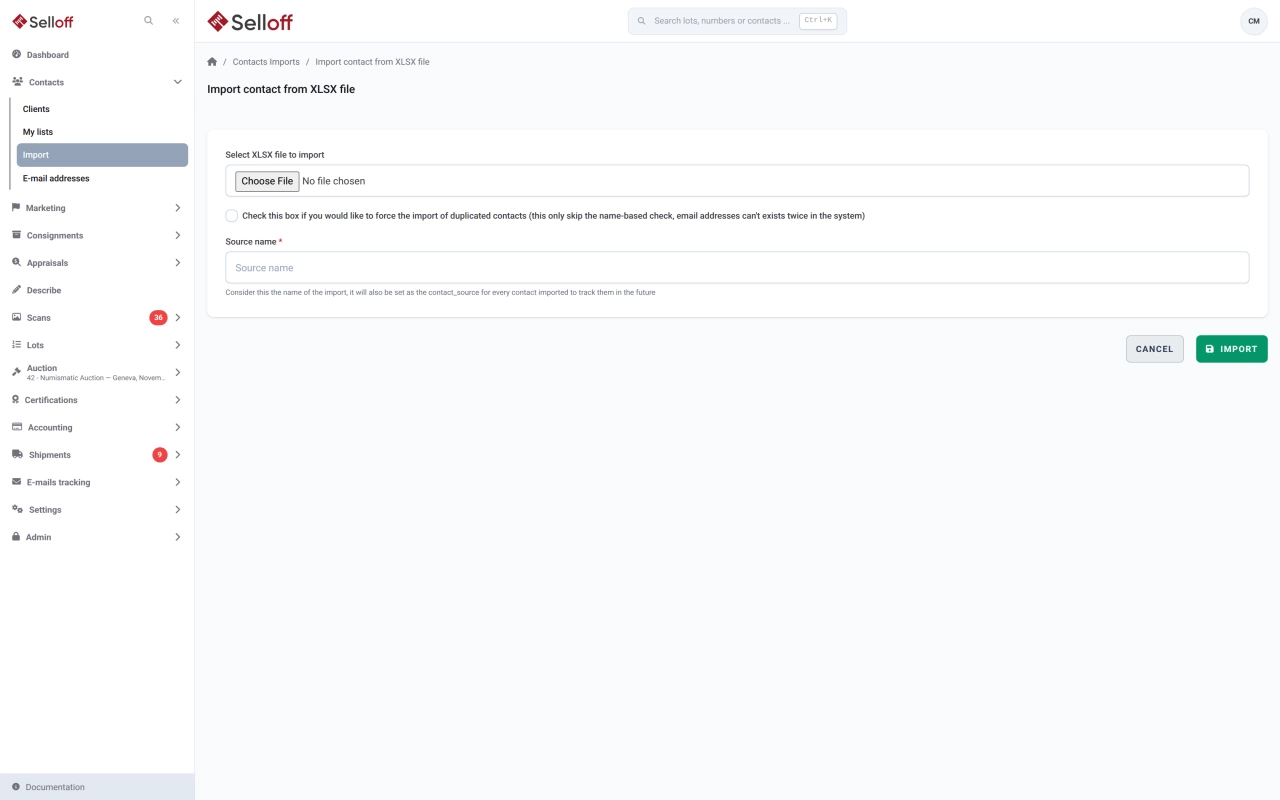
Most auction houses arrive with years of contacts in spreadsheets, an old system or a mailing tool. The contact import turns an Excel file into Selloff contact records without retyping, and keeps a trace of where each contact came from.
Prepare an XLSX file with one contact per row. Only the last name and the country are required; the country can be written as a name, which Selloff matches against its country list. Optional columns cover title, first name, company, address and P.O. box, language, email, up to eight phone numbers, remarks and a default purchase limit.
Tags are imported as a comma-separated list and created automatically if they do not exist yet. Collecting areas are matched against your existing categories by ID or full name.
Before you start, give the import a source name. It is written on every imported contact, so you can later build a smart list of, for example, everyone who came from a trade fair.
Frequently asked questions
An Excel XLSX file with the column names in the first row. Only lastname and country are required; optional columns cover title, first name, company, full address, language, email, phone numbers, remarks, default purchase limit, tags and collecting areas.
Each row is checked against existing contacts on the combination of last name, postal code and country. Duplicates are rejected unless you tick Force import, which applies to names only: an email address can never exist twice in Selloff.
The import runs in the background and you receive an email when it finishes. If it fails, the email includes an XLSX file listing the errors, and you can submit a corrected file from the import history.
Related features
One record per contact with addresses, ID and bank details, tags, consignments, bids, invoices and a complete activity history shared by the whole team.
Learn moreClassify contacts with tags and collecting areas, then save dynamic lists that update themselves from bids, invoices, consignments and activities.
Learn moreBring bids, results and registrations from Drouot, Sixbid, Numisbids, Philasearch, Biddr and Excel files into your sale, with contact matching and a review step.
Learn moreRequest a demo
See Selloff running on a sale like yours.
We measure visits with Matomo, an analytics tool we host ourselves. Accept cookies so it can recognise returning visitors. If you refuse them, visits are still measured, without cookies. Privacy policy