Inventory & catalogue
Lot descriptions
Describe lots on a screen you configure, with texts, custom fields, categories and images, and generate repetitive headings and descriptions automatically.
Learn moreInventory & catalogue
Record starting price, low and high estimates, reserve and printed estimate for every lot, adjust them in bulk, and keep the values used in each sale.
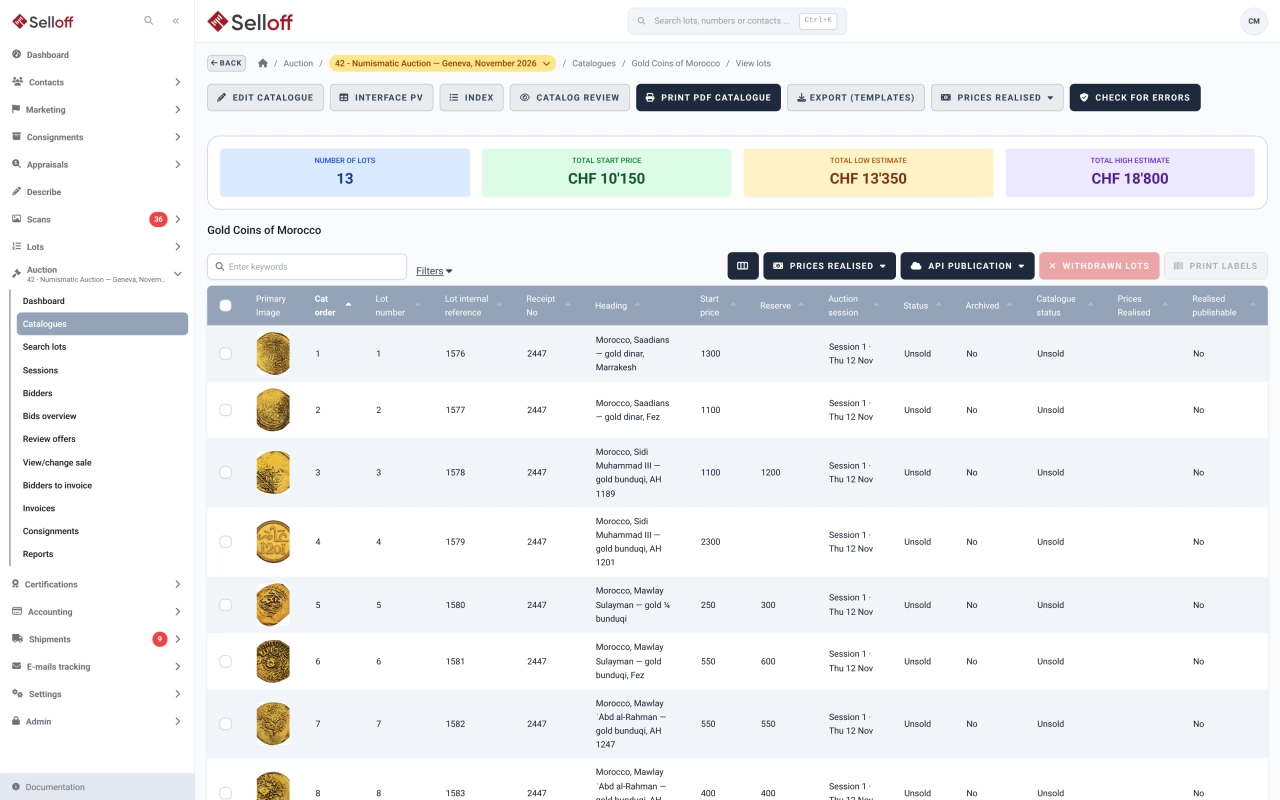
Each lot in Selloff carries its own currency and four figures:
The printed estimate is generated automatically: the low–high range when there is one, otherwise the starting price, formatted with Swiss thousands separators. A link lets you overwrite it by hand. Alongside these, the lot can store a reference catalogue with its number and value, which is useful for stamps and coins, and the price the consignor paid.
Before a sale, or when unsold lots are re-offered, prices often move together. From the inventory, select lots and apply a bulk update to the starting price, low and high estimates or reserve: increase or decrease by a percentage, optionally rounded to the bid step, or by an amount, or change the currency. An XLSX update import does the same from a spreadsheet, and printed estimates are regenerated when the figures change. An option can also update a lot's currency automatically when it moves to a catalogue in another currency.
When a lot is assigned to a catalogue, Selloff records the starting price, reserve, printed estimate, currency and status used in that sale. A lot offered three times therefore shows three lines in its history, which helps when discussing a new estimate with the consignor.
Estimates and reserves appear in the lot searches, where they can be filtered with "greater than" or "less than", in the bid overview and offers, in scan checks limited to lots above a minimum estimate, and in the lists sent to consignors. During the sale, authorised users can still correct an estimate or a reserve from the sale screen.
Frequently asked questions
The starting price is where bidding opens, or the sale price in fixed-price sales. The low and high estimates give buyers the expected range, and the printed estimate is the text shown in the catalogue. The reserve is the minimum agreed with the consignor; it is not published on your website through the Selloff API.
Yes. Select the lots in the inventory and apply a bulk update: increase or decrease the starting price, low and high estimates or reserve by a percentage or a fixed amount, or change their currency. You can also update these values from an XLSX file, and the printed estimate is regenerated automatically.
Yes. When a lot is assigned to a sale, Selloff keeps the starting price, reserve, printed estimate, currency and status used in that catalogue. The lot's history lists every sale it appeared in with those values.
Related features
Describe lots on a screen you configure, with texts, custom fields, categories and images, and generate repetitive headings and descriptions automatically.
Learn moreAssign lots to a sale, order them by category or any field, number them automatically or by scanning, and check the catalogue for errors before it goes live.
Learn moreCollect offers on unsold lots or in offer sales, decide lot by lot with the consignor's figures at hand, and notify bidders by email.
Learn moreRequest a demo
See Selloff running on a sale like yours.
We measure visits with Matomo, an analytics tool we host ourselves. Accept cookies so it can recognise returning visitors. If you refuse them, visits are still measured, without cookies. Privacy policy