Accounting
Accounting export
Export buyer, consignor, payment and supplier entries by period, branch and currency to Sage Accpac, OM Finance, Quadra or CSV, without re-keying.
Learn moreAccounting
Keep client accounts, the chart of accounts, supplier invoices and balances inside Selloff, per branch and currency, without re-entering sales in another system.
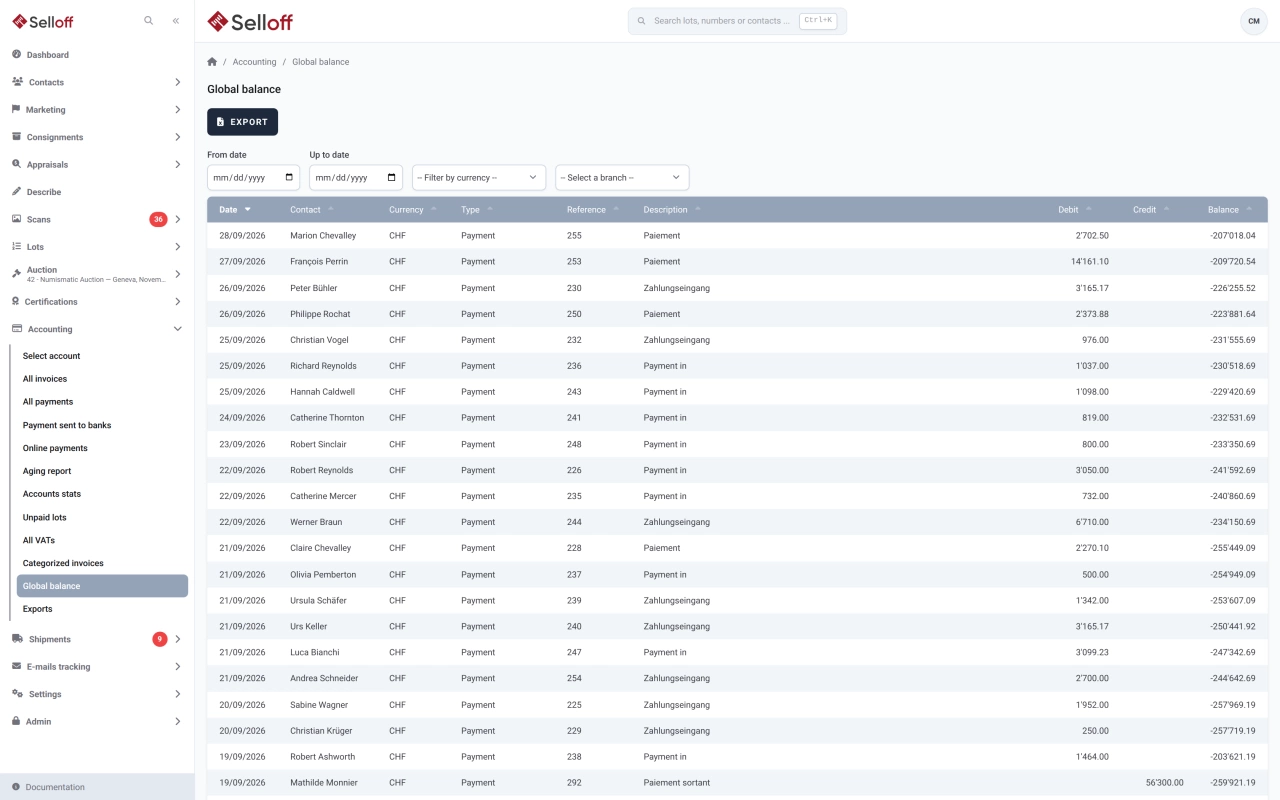
Every invoice line and every payment in Selloff is linked to an account of your chart of accounts. Selloff provides the account types an auction house needs: buyer and consignor lot transactions, buyer's premium, seller's commission, insurance, lot fees, shipping, VAT and foreign VAT, reminder fees, interest, payment fees, bank and cash. Where an account type is used automatically, a default account is required for each branch and currency, so no line is ever left without an account. Account numbers can differ from the numbers used in your accounting export.
Each contact has an account per branch and per activated currency. The account shows all invoices and payments with the balance; from there you record a payment, transfer an amount to another account, calculate interest or send an account statement. Supplier invoices and supplier credit notes are recorded in the same place as buyer invoices and consignor statements.
Each branch keeps its own accounting, with its address, VAT number, logo and invoice footer. A currency is enabled for a branch once its default accounts exist, and Selloff can create the missing accounts for you. Exchange rates against your default currency are updated in one click from an online rate service.
All overviews export to Excel. When your books are kept elsewhere, the accounting export sends the entries to your accounting software.
Frequently asked questions
Selloff covers the accounting of your auction activity: client accounts, invoices, payments, VAT and balances per branch and currency. If your general ledger is kept in dedicated accounting software, the accounting export sends Selloff's entries to it.
Yes. Each branch has its own accounting, and each contact has an account per branch and per activated currency. Exchange rates against the default currency can be updated in one click.
Yes. Supplier invoices and supplier credit notes are recorded in Selloff on the suppliers' accounts, and the payments can be sent to your bank as e-banking transfers.
Related features
Export buyer, consignor, payment and supplier entries by period, branch and currency to Sage Accpac, OM Finance, Quadra or CSV, without re-keying.
Learn moreRecord and apply payments, see what each client owes, send reminders at three levels with fees, and follow receivables in the aging report.
Learn moreApply the right VAT to every invoice line by branch and client country, with dated rates, foreign VAT and a VAT report for your return.
Learn moreRequest a demo
See Selloff running on a sale like yours.
We measure visits with Matomo, an analytics tool we host ourselves. Accept cookies so it can recognise returning visitors. If you refuse them, visits are still measured, without cookies. Privacy policy