Accounting
Payment tracking & reminders
Record and apply payments, see what each client owes, send reminders at three levels with fees, and follow receivables in the aging report.
Learn moreAccounting
Let buyers pay invoices, guarantees and free amounts online via Stripe, Datatrans or Saferpay, with fees and payment statuses tracked in Selloff.
Every invoice and reminder can carry a link to your online payment page. The client sees the amount due, chooses a payment method and is redirected to the payment provider to pay. The page uses your font and colours and can show extra information, such as the invoice reference. Selloff also creates payment links for bidders' guarantees or for a free amount, and an optional checkout form accepts payments that are not linked to an invoice.
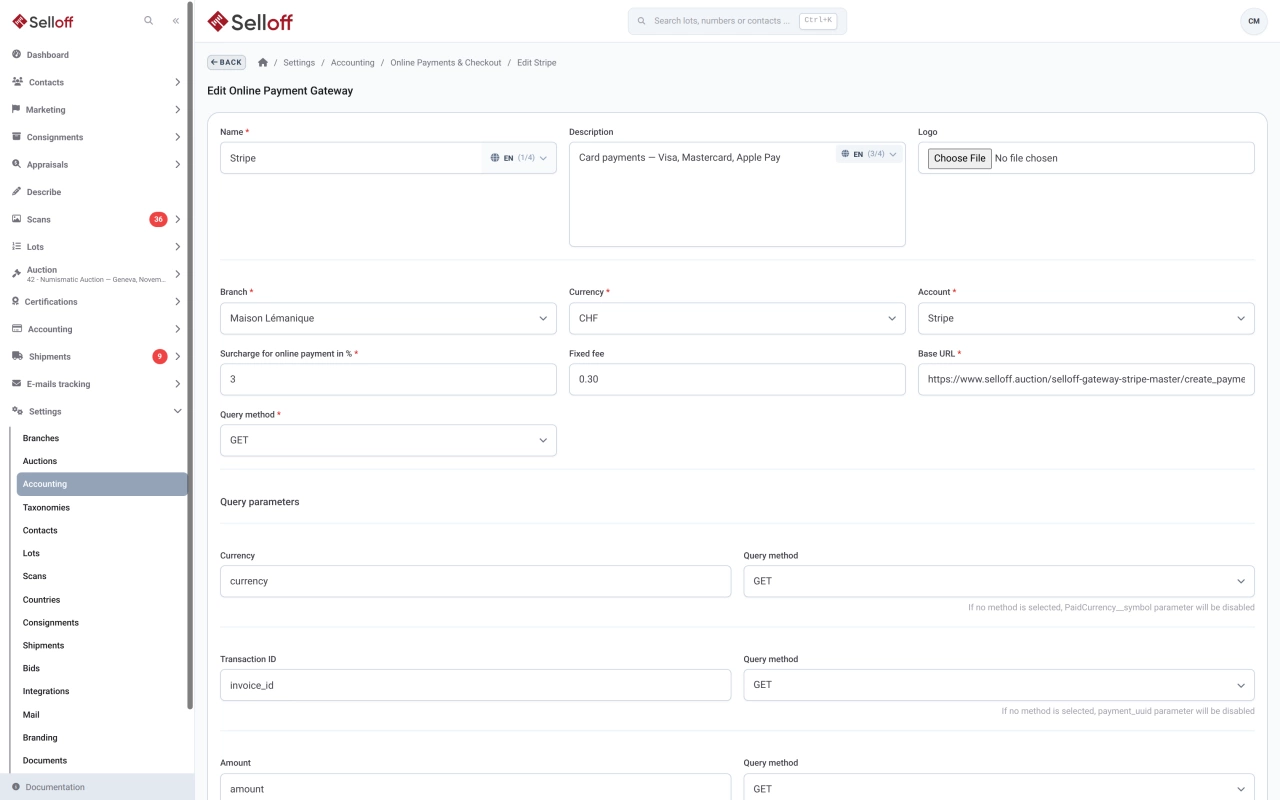
Online payment gateways are set up per branch and currency, each with the name, description and logo shown to the client, the account where payments are booked and an optional fee. Our team helps you connect providers such as Stripe, Datatrans or Saferpay. When no gateway is available for an invoice, or as an extra option, the page shows your bank transfer details instead.
Online payments are listed by status: pending, paid, accounted, cancelled or failed. A successful payment is applied to the invoice or guarantee it was made for, and payment fees are booked to their own account. The list exports to Excel for reconciliation with your provider's statements.
Buyers, especially those bidding from abroad, settle their invoices online without making a bank transfer. Accounting staff see online payments applied automatically and only reconcile the provider's payouts.
Frequently asked questions
Selloff works with online payment gateways such as Stripe, Datatrans and Saferpay. Gateways are set up per branch and currency; contact us to connect your provider account.
Yes. Each gateway can carry a payment fee as a percentage, which is added to the amount the client pays and booked to a payment fees account.
Yes. A guarantee request sent to a bidder includes a link to the payment page. Once the payment succeeds, the guarantee is marked as paid on the bidder.
Related features
Record and apply payments, see what each client owes, send reminders at three levels with fees, and follow receivables in the aging report.
Learn moreCreate buyer invoices and consignor statements from recorded sales in a few clicks, with premium, insurance, fees, shipping and VAT calculated automatically.
Learn moreRegister bidders before or during a sale, number them automatically, set purchase limits and request guarantees, with every bidder's activity on one page.
Learn moreRequest a demo
See Selloff running on a sale like yours.
We measure visits with Matomo, an analytics tool we host ourselves. Accept cookies so it can recognise returning visitors. If you refuse them, visits are still measured, without cookies. Privacy policy