Shipping
Barcode scanning & packing
Scan lot barcodes to add lots to a shipment or return, with instant checks that each lot is available and invoiced to the right client.
Learn moreShipping
Prepare and track shipments to buyers, consignor returns and lots sent for certification, with preparation slips and tracking emails.
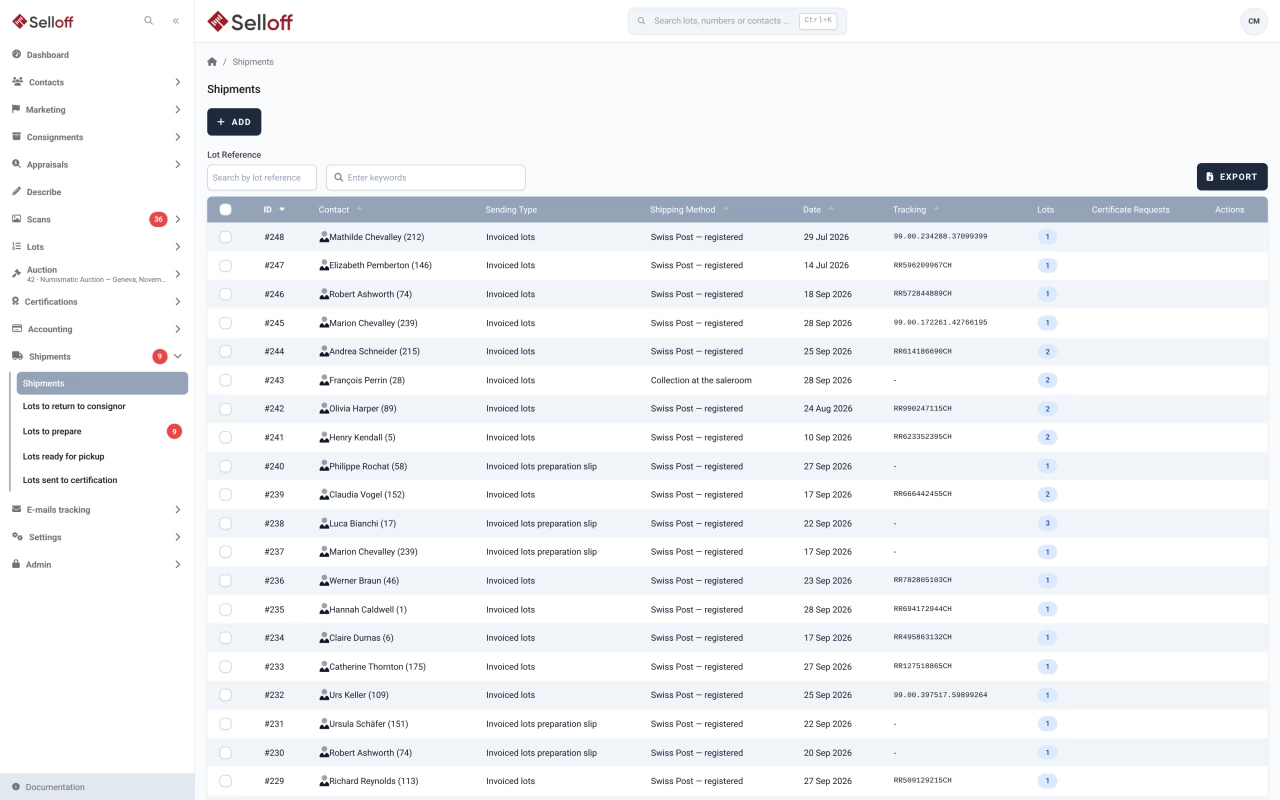
Selloff handles four kinds of shipment: invoiced lots going to buyers, lots returned to consignors, lots sent to a certification authority, and other sendings. A shipment belongs to a contact and records the address (chosen from the contact's addresses or entered for this shipment), the shipping method, date, weight, price, tracking number and tracking link.
For buyer shipments and consignor returns, preparation slips follow each lot through three steps: to prepare, ready (with its storage location updated) and shipped or returned. The Lots to prepare and Lots ready for pickup screens tell the warehouse what to fetch and what is waiting for the client or the carrier.
Lots are added from a list or with a barcode scanner. For buyer shipments, Selloff only accepts lots that are sold or paid, invoiced to the same client on an invoice that is not cancelled, and not already in another shipment.
Once the carrier's tracking number and link are on the shipment, one click emails them to the client, and the email is logged in the client's activity. Shipping documents print in your house layout, and the invoice list shows whether each invoice has been shipped.
Lots sent for authentication are listed with their certification authority, their shipment and their status: sent, returned as authentic or returned as not authentic. Every shipment remains searchable by client, keyword or lot number and exports to Excel, so questions about a parcel months later are answered in seconds.
Shipping and front-desk staff prepare parcels and pickups, while accounting sees at a glance which invoices have been shipped.
Frequently asked questions
No, Selloff does not create carrier labels itself. You enter the tracking number and tracking link provided by your carrier on the shipment, and Selloff emails them to the client and keeps them in the shipping history.
Yes. Lots waiting to go back are listed under Lots to return to consignor. You group them on a preparation slip, mark them as ready with their storage location, then as returned when they leave.
The Lots ready for pickup screen lists prepared lots with their storage location, for buyer shipments and consignor returns, so staff know where each lot is when the client arrives.
Related features
Scan lot barcodes to add lots to a shipment or return, with instant checks that each lot is available and invoiced to the right client.
Learn moreCalculate shipping costs on invoices from weight, destination zone and purchase amount, with matrices, percentages, fixed fees and limits.
Learn moreCreate buyer invoices and consignor statements from recorded sales in a few clicks, with premium, insurance, fees, shipping and VAT calculated automatically.
Learn moreRequest a demo
See Selloff running on a sale like yours.
We measure visits with Matomo, an analytics tool we host ourselves. Accept cookies so it can recognise returning visitors. If you refuse them, visits are still measured, without cookies. Privacy policy