Inventory & catalogue
Lot references & barcode labels
Give every lot a unique reference in your chosen format, print barcode labels on Zebra printers from the browser and scan them at every step.
Learn moreShipping
Scan lot barcodes to add lots to a shipment or return, with instant checks that each lot is available and invoiced to the right client.
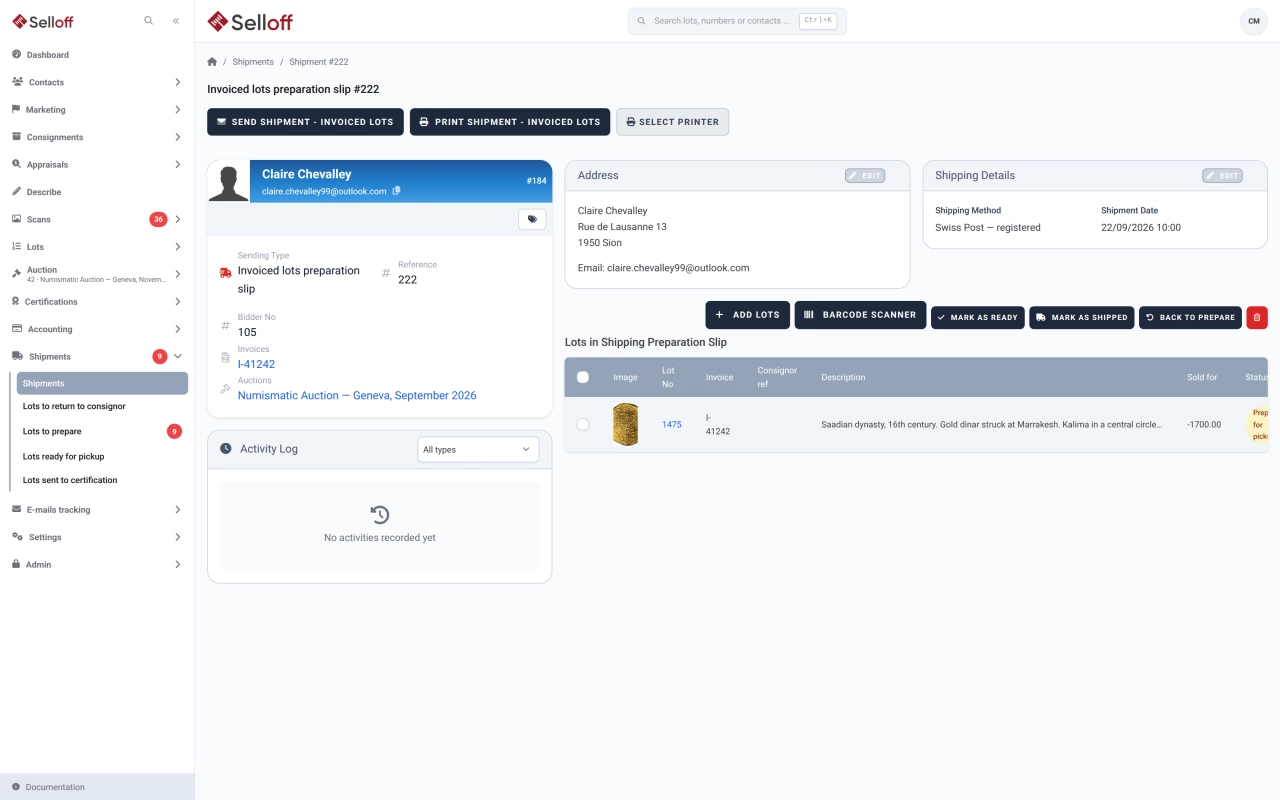
Every lot in Selloff has a reference printed as a barcode on its labels, from a Zebra label printer. When preparing a shipment or a return to a consignor, staff place the cursor in the scan field and scan each lot: the scanner types the reference, presses Enter, and the lot joins the shipment immediately. A reference can also be typed by hand.
Each scan is validated before anything is saved:
Every addition is logged in the client's activity with the lot references, so you can see later who packed what.
Scanning works on preparation slips as well as on direct shipments. The warehouse scans the lots onto a slip, updates their storage location when they are ready and marks them as shipped or returned; counters show how many lots are in the shipment and how many remain available. Scanning a whole parcel takes seconds, and a missing or wrong lot is caught before the box is closed.
The same barcodes are used to assign lots to a catalogue by scanning their references, and to open a lot from the search field in the header of any page.
Frequently asked questions
Scanning reads the lot reference barcode printed by Selloff. Any scanner that works like a keyboard, typing the code followed by Enter, can be used in the scan field of a shipment.
Selloff refuses it and says why: the lot is not invoiced to this client, is already in another shipment, is not sold or paid, or its invoice is cancelled. Nothing is added to the shipment.
Selloff prints barcode labels on Zebra label printers for a lot, a list or range of lots, a consignment or a receipt, and the number of labels per lot can follow its packaging type. See lot references & barcode labels.
Related features
Give every lot a unique reference in your chosen format, print barcode labels on Zebra printers from the browser and scan them at every step.
Learn morePrepare and track shipments to buyers, consignor returns and lots sent for certification, with preparation slips and tracking emails.
Learn moreAssign lots to a sale, order them by category or any field, number them automatically or by scanning, and check the catalogue for errors before it goes live.
Learn moreRequest a demo
See Selloff running on a sale like yours.
We measure visits with Matomo, an analytics tool we host ourselves. Accept cookies so it can recognise returning visitors. If you refuse them, visits are still measured, without cookies. Privacy policy