CRM
Segmentation & smart lists
Classify contacts with tags and collecting areas, then save dynamic lists that update themselves from bids, invoices, consignments and activities.
Learn moreCRM
Find any contact, lot or sale in seconds, from a global search box to multi-criteria filters on bids, invoices, estimates and consignments.
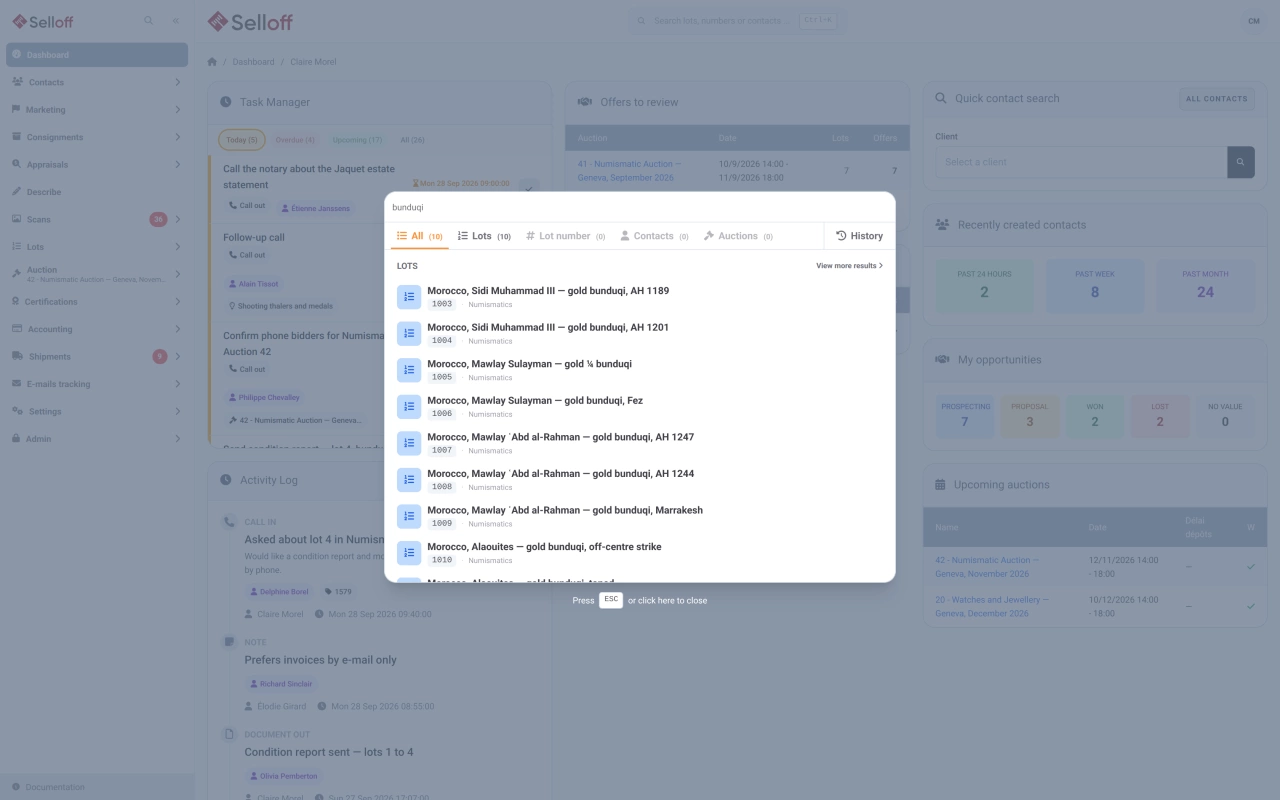
A global search window, opened from the header on any page or with a keyboard shortcut, looks across lots (by ID, title or reference), lot numbers in the sale you are working on, contacts (by number or name) and sales (by number or name) at once. Results are grouped in tabs, exact matches are flagged first, and a history tab brings back the records you opened recently.
The dashboard also has its own quick contact search by name or contact number.
The contact list searches keywords across all contact fields and filters by type: prospects, clients, suppliers, consignment representatives, brokers or auction agents. The advanced search goes much further, with operators such as "starts with", "contains", "is empty" or "is not":
Lots can be filtered by consignment or receipt number, consignor name or reference, reference catalogue, packaging type, quantity or weight, main category, catalogue image size, tags, status and sale. Estimates, low and high estimates and reserves accept "greater than", "less than" and "equals". The description can be searched as free text.
Search results feed straight into daily work: export the lot inventory to Excel, assign selected lots to a catalogue, or apply a bulk change to estimates and reserves. Contact searches can be kept as smart lists.
Frequently asked questions
Open the global search and type the lot number: Selloff looks it up in the sale you are working on, alongside lot IDs, titles and references. Exact matches are flagged at the top, so the right lot is one click away.
Yes. The advanced lot search accepts comma-separated lists with "starts with", "contains", "equals" or "does not equal", so you can pull the lots of several consignments or receipts in a single search.
Yes. The criteria of the advanced contact search can be saved as a smart list, which recalculates its results each time you open or export it.
Related features
Classify contacts with tags and collecting areas, then save dynamic lists that update themselves from bids, invoices, consignments and activities.
Learn moreOne record per contact with addresses, ID and bank details, tags, consignments, bids, invoices and a complete activity history shared by the whole team.
Learn moreGive every lot a unique reference in your chosen format, print barcode labels on Zebra printers from the browser and scan them at every step.
Learn moreRequest a demo
See Selloff running on a sale like yours.
We measure visits with Matomo, an analytics tool we host ourselves. Accept cookies so it can recognise returning visitors. If you refuse them, visits are still measured, without cookies. Privacy policy