Shipping
Barcode scanning & packing
Scan lot barcodes to add lots to a shipment or return, with instant checks that each lot is available and invoiced to the right client.
Learn moreInventory & catalogue
Give every lot a unique reference in your chosen format, print barcode labels on Zebra printers from the browser and scan them at every step.
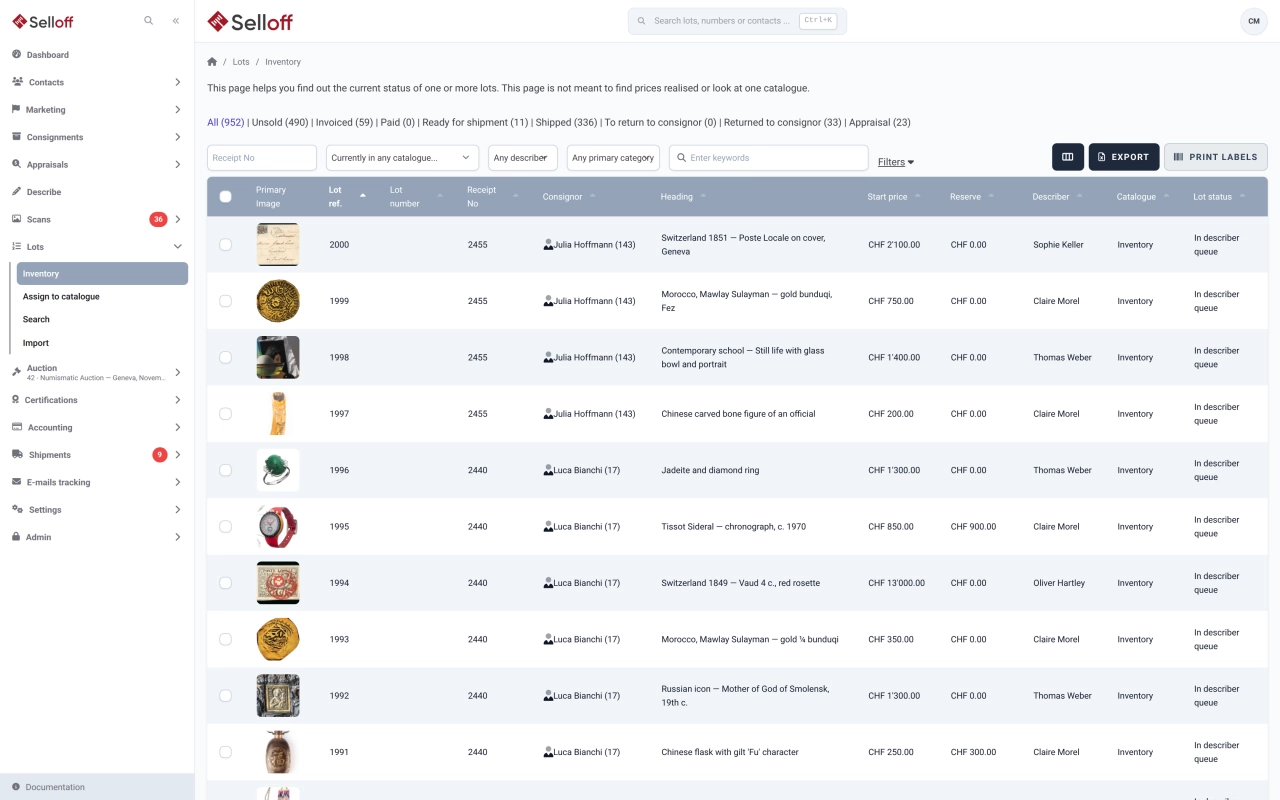
Every lot in Selloff has a unique internal reference, fixed at creation, that follows it from the receipt to the buyer's parcel, whatever sales it passes through. You choose the format for your house:
A VAT symbol can be added before or after the reference if your house marks lots subject to VAT that way. Receipt numbers can also be generated automatically from a starting number.
Selloff generates the labels and sends them straight to a Zebra printer through the Browser Print driver, with no separate labelling software. Two kinds of labels are available:
Print them for one lot or a list, a range of references, a whole consignment or receipt, or for a sale's catalogue filtered by packaging and lot number range. Each packaging type defines how many labels of each kind to print, so a box and its contents both get a label.
The barcode carries the lot reference. Scan it to assign lots to a catalogue, to number a catalogue in the order the lots are laid out, or to check lots when packing shipments. The same Zebra printer also prints address labels for contacts.
Frequently asked questions
Selloff prints to Zebra label printers from the web browser, using Zebra's Browser Print driver installed on the workstation. The documentation lists the Zebra GX420t and GX420d as supported models. Label width and height are set in millimetres, and each user sets the print resolution of their printer.
Yes. Instead of a plain lot number, the reference can combine a three-letter receipt code with the lot's position in that receipt, for example ABC1, ABC2. The code is either random or built from the consignor's initials. You can also enter references by hand; in every case they are unique and cannot be changed once the lot is created.
Scanning a lot's barcode assigns it to a catalogue or returns it to inventory, numbers the catalogue in the order the lots are scanned, and identifies lots when packing shipments. The barcode encodes the lot reference, so a scanner simply replaces typing.
Related features
Scan lot barcodes to add lots to a shipment or return, with instant checks that each lot is available and invoiced to the right client.
Learn moreAssign lots to a sale, order them by category or any field, number them automatically or by scanning, and check the catalogue for errors before it goes live.
Learn moreRegister each deposit on a numbered receipt with storage location and import details, send lot lists and contracts, and track which signed copies are back.
Learn moreRequest a demo
See Selloff running on a sale like yours.
We measure visits with Matomo, an analytics tool we host ourselves. Accept cookies so it can recognise returning visitors. If you refuse them, visits are still measured, without cookies. Privacy policy