Accounting
Automatic invoicing
Create buyer invoices and consignor statements from recorded sales in a few clicks, with premium, insurance, fees, shipping and VAT calculated automatically.
Learn moreAccounting
Apply the right VAT to every invoice line by branch and client country, with dated rates, foreign VAT and a VAT report for your return.
A tax in Selloff applies to invoices issued by branches in one country to contacts from the countries you select. Each tax holds its rates with validity dates, so a rate change can be entered before it takes effect. For every line that Selloff generates on its own (buyer's premium, buyer's insurance, shipping, reminder fees, seller's commission, insurance on sold and unsold lots, lot fees) you choose the default tax per branch, and whether the tax is included in the amount or added to it.
Each lot carries its tax type, set by default when it is described. On a buyer invoice, Selloff can calculate VAT on the buyer's premium only for the share of the premium relating to lots subject to VAT. Invoices can show the VAT detail by rate and the tax type of each line.
For buyers abroad, the foreign VAT option lets you enter prepaid foreign VAT, and any customs fees on it, directly on the invoice, each booked to its own account. A flat-rate tax on lots over €5,000 can be applied per lot where your terms of sale provide for it. Lots sold in different currencies can be invoiced together, converted into the invoice currency.
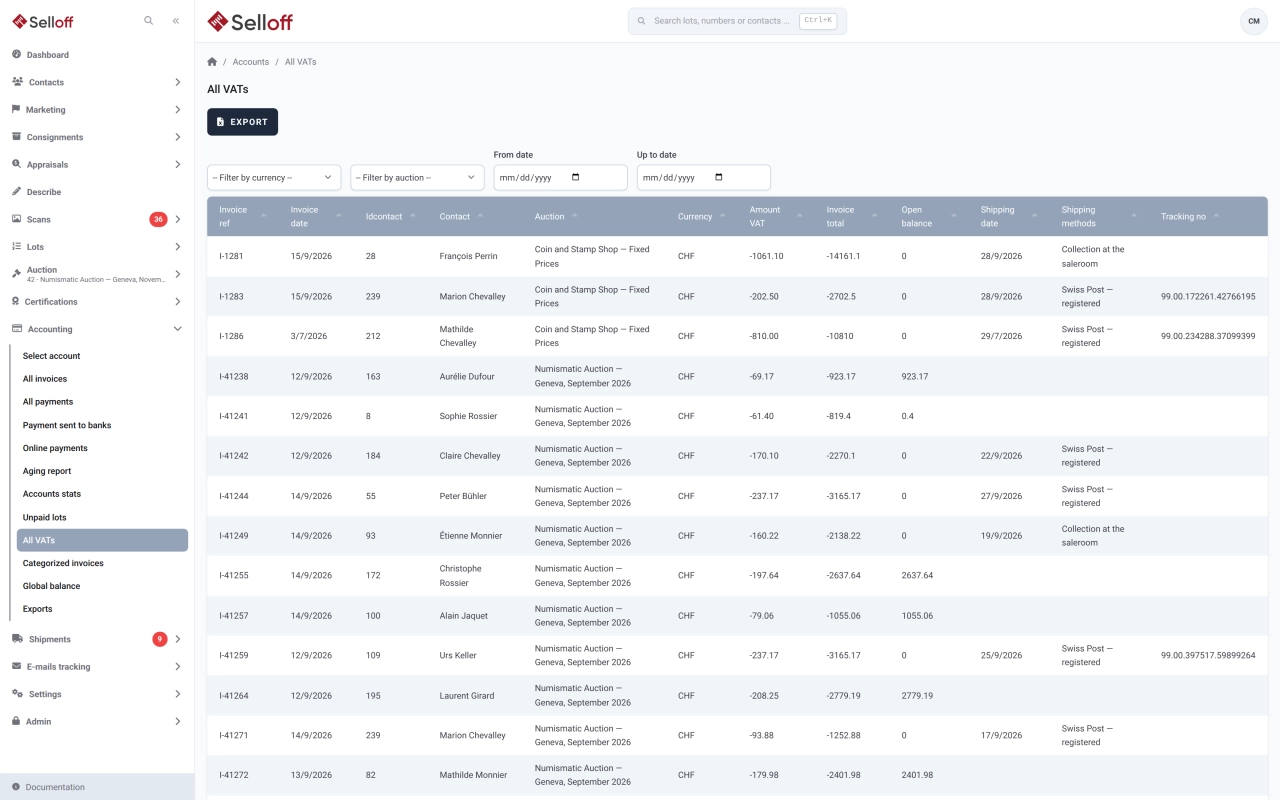
The All VATs report lists collected and deductible VAT for a period, filtered by currency and sale, ready for your VAT return or your accountant. It exports to Excel, and VAT amounts are included in the accounting export.
Accountants set up taxes and default tax types once per branch. Invoicing staff then create invoices without choosing a rate line by line.
Frequently asked questions
Each tax is defined for the country of the issuing branch and for the countries of the clients it applies to, with dated rates. Lots carry their own tax type, and each automatic line (premium, insurance, shipping, fees) has a default tax per branch.
Add the new rate with its start date and give the current rate an end date. Rate periods cannot overlap, and only one rate can remain open-ended.
Yes. The All VATs report shows collected and deductible VAT by period, currency and sale, and exports to Excel for your VAT return or your accountant.
Related features
Create buyer invoices and consignor statements from recorded sales in a few clicks, with premium, insurance, fees, shipping and VAT calculated automatically.
Learn moreKeep client accounts, the chart of accounts, supplier invoices and balances inside Selloff, per branch and currency, without re-entering sales in another system.
Learn moreExport buyer, consignor, payment and supplier entries by period, branch and currency to Sage Accpac, OM Finance, Quadra or CSV, without re-keying.
Learn moreRequest a demo
See Selloff running on a sale like yours.
We measure visits with Matomo, an analytics tool we host ourselves. Accept cookies so it can recognise returning visitors. If you refuse them, visits are still measured, without cookies. Privacy policy